 LaneWatch
Break the race down
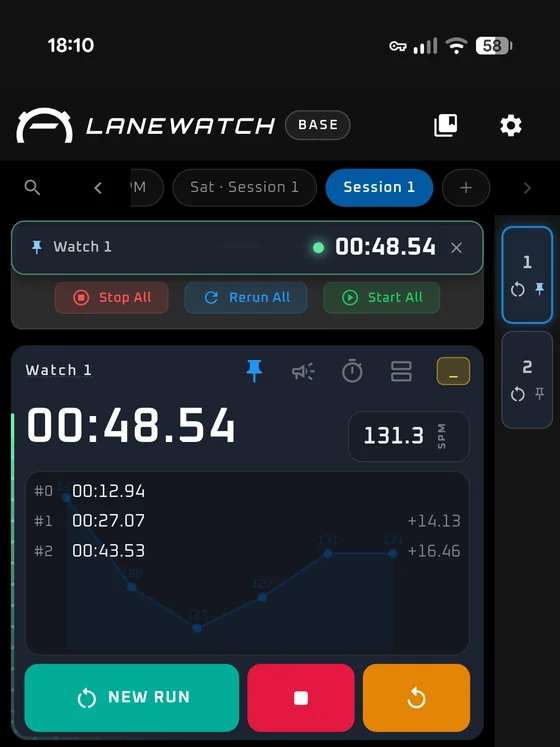
LaneWatch is a stopwatch for the person standing on the poolside with a whole lane to time — a watch each, splits as they come, stroke rate as they swim, and interval sets that keep running when the session doesn't go to plan.
LaneWatch Hub is the other half. It's where a race stops being a set of times on a phone and becomes a season you can actually read — and you can use it on its own, whoever held the stopwatch.



Built for coaches
You have one pair of hands and eight swimmers
Most stopwatches assume you're timing one person doing one thing. Coaching isn't that. LaneWatch is built for the session you actually run — several lanes going at once, a set that changes halfway through, and no chance to tidy anything up until you're home.
A watch per lane
Start them together, stop them together, or run each on its own. Drag them into the order the lanes are actually in, colour them so you're not reading labels mid-set, and group two when you want them read as a pair.
Stroke rate while they swim
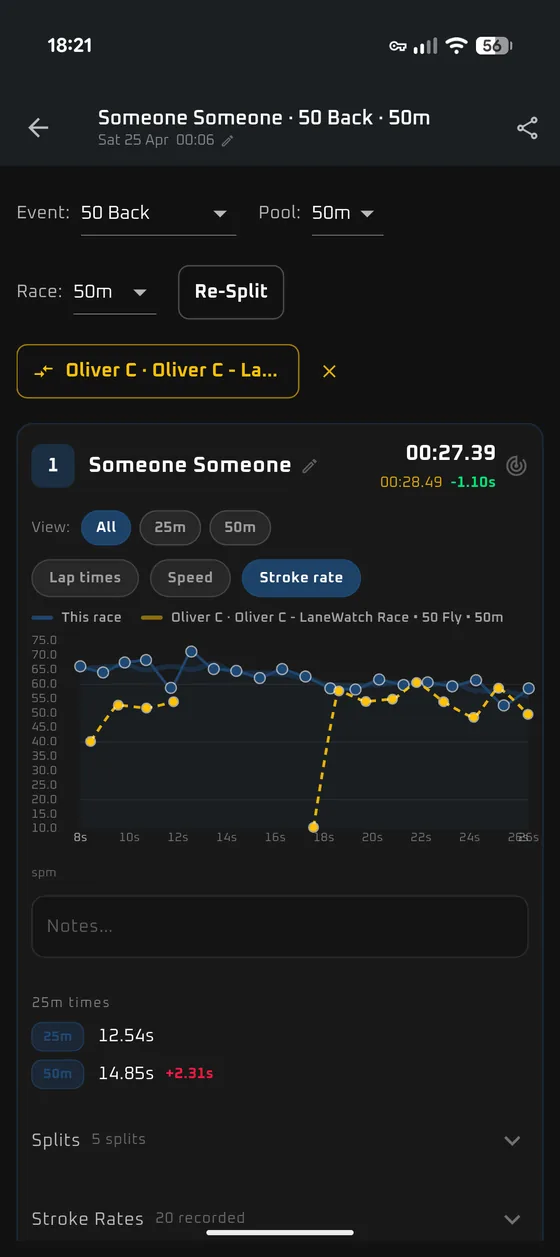
Every split carries its own rate, and the watch draws the trace as the set goes on — so you see the rate falling away before the swimmer gets out and tells you they felt fine.
Interval sets that survive contact
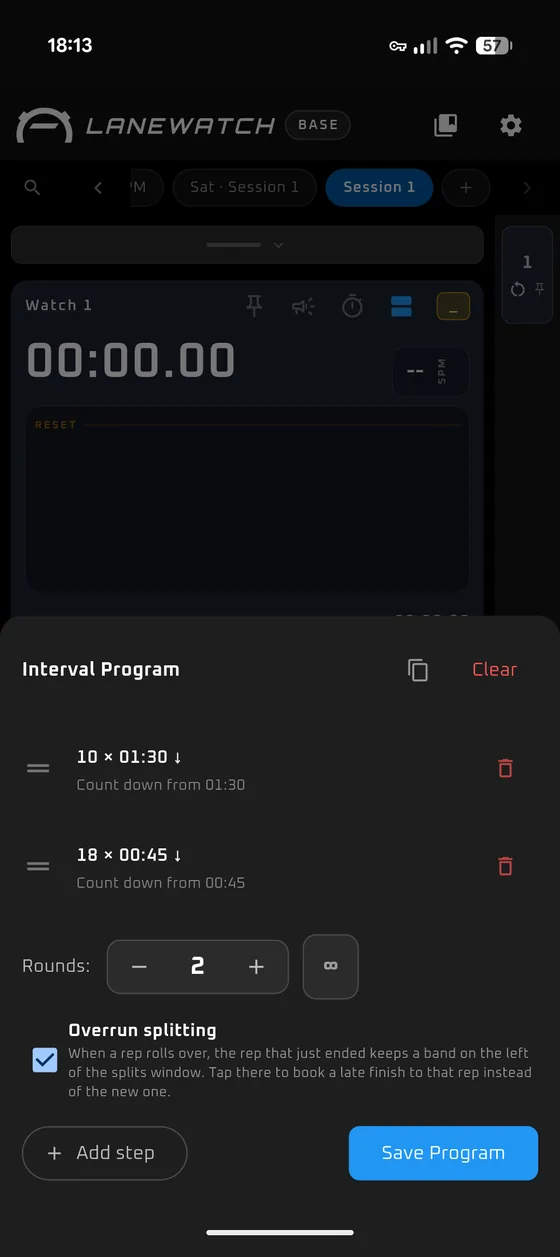
Programme it once — ten on 1:30, then eighteen on 45, twice through — and let it run. When someone finishes late and the rep has already rolled over, you can still book that time to the rep it belongs to instead of losing it.
Several splits on one watch
Two or three swimmers sharing a lane and going off the same start can each have their own column of splits under a single running clock.
Notes you'll still have on Thursday
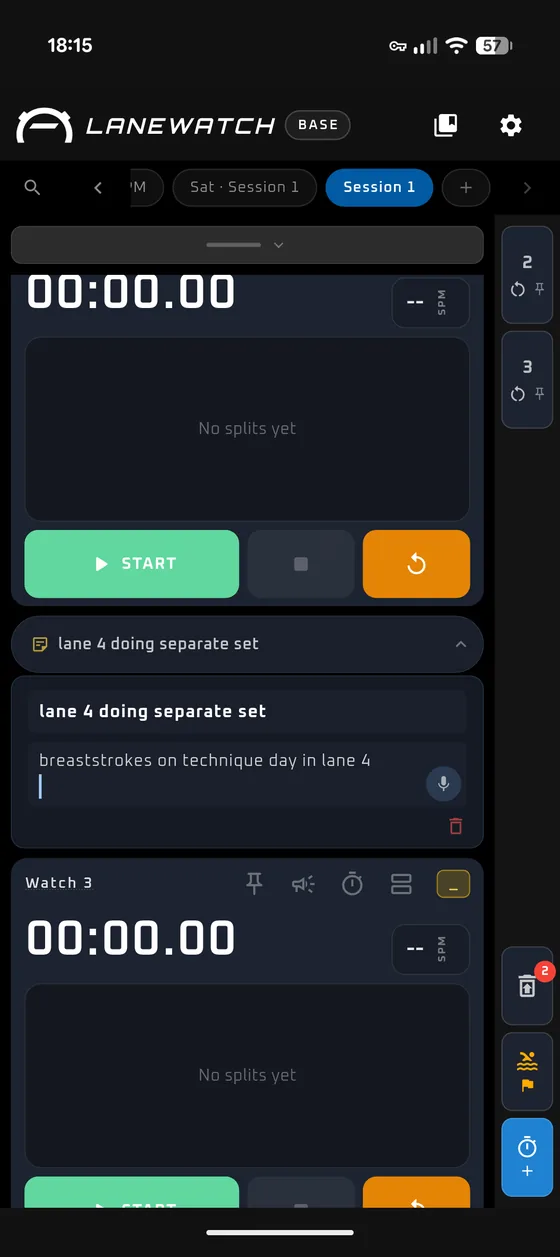
"Lane 4 doing a separate set." "JR odd reps, AM even reps." Pin it to the session, dictate it if your hands are wet, and it's there next time you open that session.
Sessions, not just a stopwatch
Every session is kept and named by the day it happened, so Tuesday evening is still Tuesday evening a fortnight later — with its watches, its splits and its notes where you left them.
Race mode on meet day
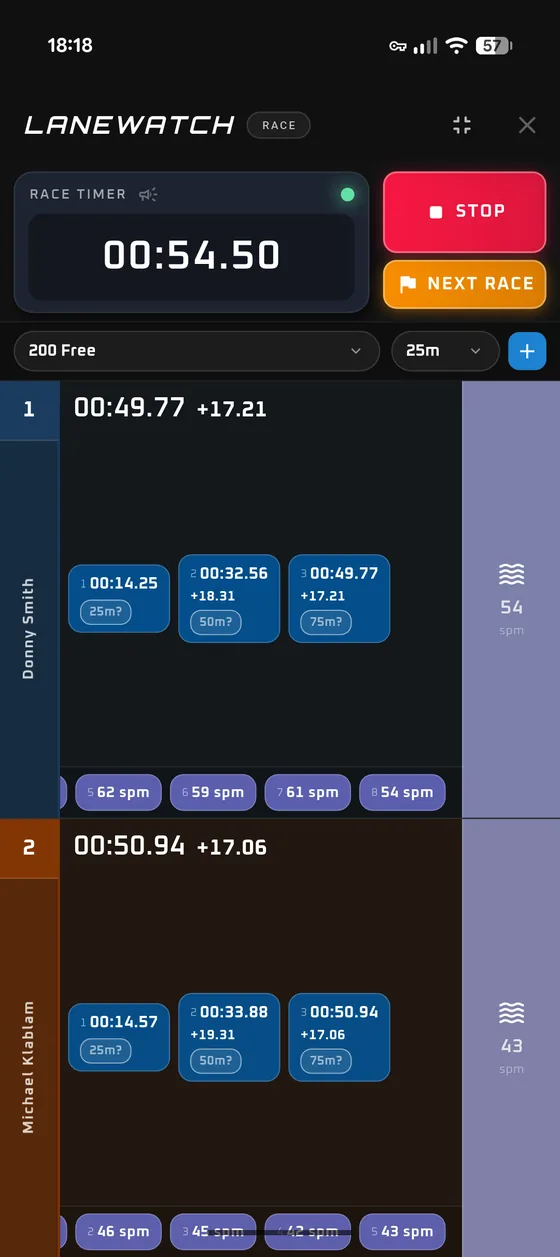
A different screen for a different job: pick the event and the pool, name the lanes, and take splits by distance with a stroke rate for every length. Put two swims on the same axes afterwards and see where the time actually went.
For swimmers, coaches and clubs
Where one swim becomes a season
The Hub runs in a browser and stands on its own — you don't need the stopwatch to use it. Log a race by hand, import a meet, or bring across what someone timed this morning. It's the same race either way, and it's measured the same way every time.
A history, not a pile of times
A swim from March and a swim from October are actually comparable, because the same measurements come off both. Personal bests keep themselves.
Times that travel between pools
Short course, long course and yards convert between each other, so a best time doesn't depend on which pool you happened to be standing in.
One skill, across every race
Follow a single thing — the breakout, the rate you lose in the back half — across everything you've logged, so "she went out too hard" becomes a line on a chart rather than a feeling about a Saturday.
Coaches and swimmers, same numbers
A coach sees the swimmers on their roster, a swimmer sees their own history, and both are looking at the same race broken down the same way — which is a much shorter conversation.
Clubs without the spreadsheet
Swimmers, coaches and squads in one place, so there isn't a version of the truth that only exists on one laptop.
One export, and the season keeps itself
Export a race from the app and import it straight into the Hub. What the stopwatch could take comes across as it is. What it couldn't, you add later — and that second list is where most of the time is hiding.
Carries over from the app
- Every split, and the gap between them
- Stroke rate, length by length
- Breakout distance
- Event, distance and pool
Added once you've watched it back
- Reaction time off the block
- Time to 15m
- Fly kicks per wall
- Underwater and glide speed
- How much of the race was spent underwater
No stopwatch can take these — they come off the replay, at a kitchen table, days later.
Where the time actually goes
Fourteen measurements, placed where they happen in the race. Some come off the stopwatch, some come off the replay, and the Hub follows every one of them across everything you've logged.
Off the block
- Reaction time
- 15m time
Underwater
- Underwater speed
- Glide speed
- Fly-kick speed
- Fly kicks per wall
- Breakout distance
- Race spent underwater
On the surface
- Free-swim speed
- Race speed
- Stroke rate
Where it slips
- Stroke-rate drop
- Back-half drop
- Finish time
Private until you say otherwise
Swimming data is personal, and a lot of it belongs to children. Nothing is shared by default, and every step outward is one somebody takes on purpose.
It starts private
A new account shares nothing. Races are yours until you choose to let a coach or a club see them.
Sharing is a setting, not a side effect
Being on a roster doesn't publish anything. You pick who can see what, and changing your mind takes effect straight away.
You can be anonymous
Share a swim with a club or more widely without a name attached, so the times can be useful without identifying anyone.
Backup is opt-in
Keep everything on your own device if you'd rather. Cloud backup is a switch you turn on, not the default.